
Download Z-Scan2Send – scan documents, convert handwriting to digital, digital document management, secure file transfer, FTP file sharing, save documents to PC, easy scanning tool, scan to digital, document conversion software, paperless office
Overview
Z-Scan2Send is a specialized software tool designed to streamline the transition from physical to digital documentation. Its primary function is to enable users to scan handwritten documents and convert them into editable, shareable digital files with minimal effort. This capability addresses the ongoing challenge of managing paper-based records in both personal and professional environments, offering a practical solution for digitizing documents efficiently. The application is particularly beneficial for users seeking to reduce clutter, improve document accessibility, and enhance workflow efficiency.
Targeted at professionals, administrative staff, and individuals managing personal records, Z-Scan2Send supports the shift toward a paperless office by simplifying document capture and organization. Real-world use cases include digitizing contracts, receipts, handwritten notes, and archival materials. By enabling direct saving to a PC, the software reduces the need for intermediate steps, such as manual file transfers or third-party conversions. This makes it a valuable utility in environments where time and data integrity are critical.
Although the developer did not provide additional background information, the app’s long-standing presence since its release on October 3, 2014, suggests a stable and reliable platform. Its continued availability indicates consistent support and relevance within the digital productivity space. As part of the broader productivity category, Z-Scan2Send fills a niche for users who require secure, straightforward document conversion without the complexity of full-featured scanning suites.
Key Features & Functionality
- Easy Scanning Process: Users can initiate scanning with minimal steps—connect a compatible scanner, select the document, and click scan. The result is an immediate digital preview, allowing for instant saving or sharing. This simplicity makes the tool accessible to non-technical users and ideal for daily use.
- Document Security Options: Z-Scan2Send allows users to apply password protection to both individual files and zipped archives. This feature safeguards sensitive data during storage or transmission, making it suitable for legal, financial, and medical documentation.
- FTP Compatibility: The software supports FTP protocols, enabling secure and fast transfer of scanned files to remote servers or shared workspaces. This is especially useful for teams collaborating across locations or managing centralized document repositories.
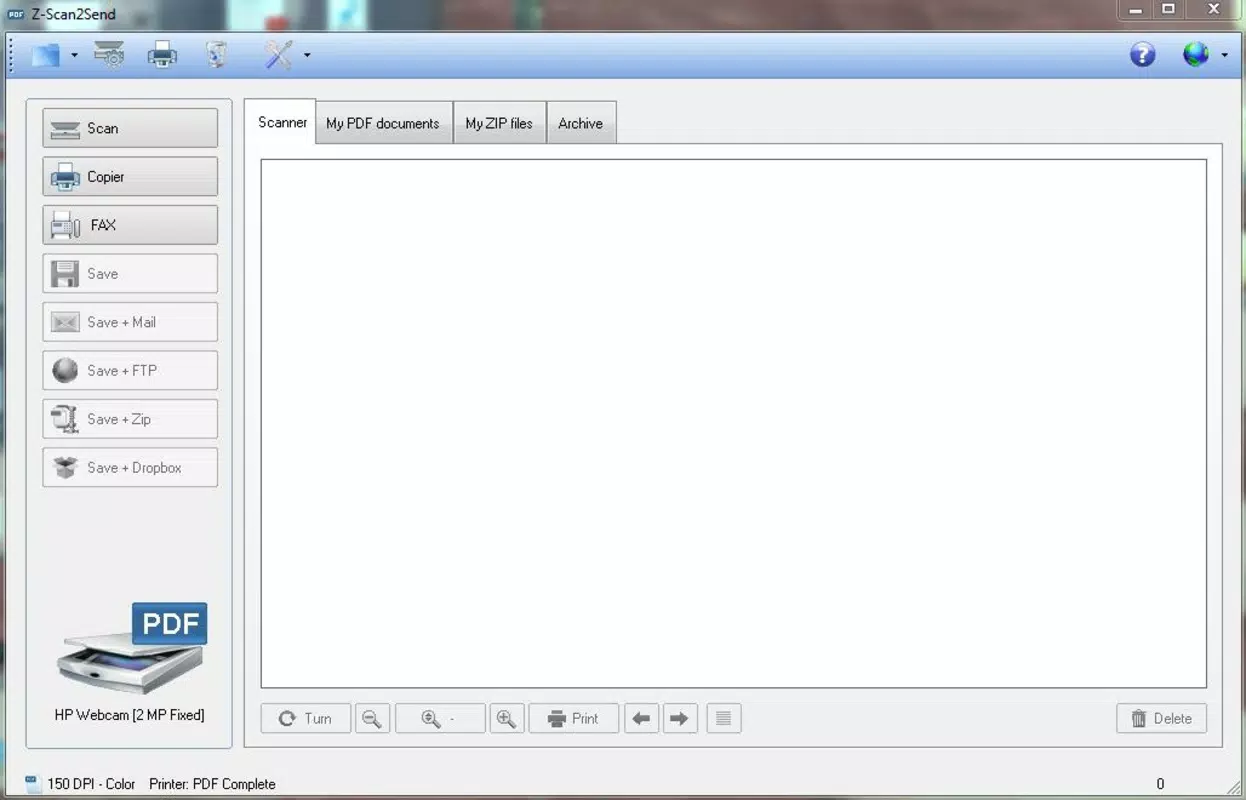
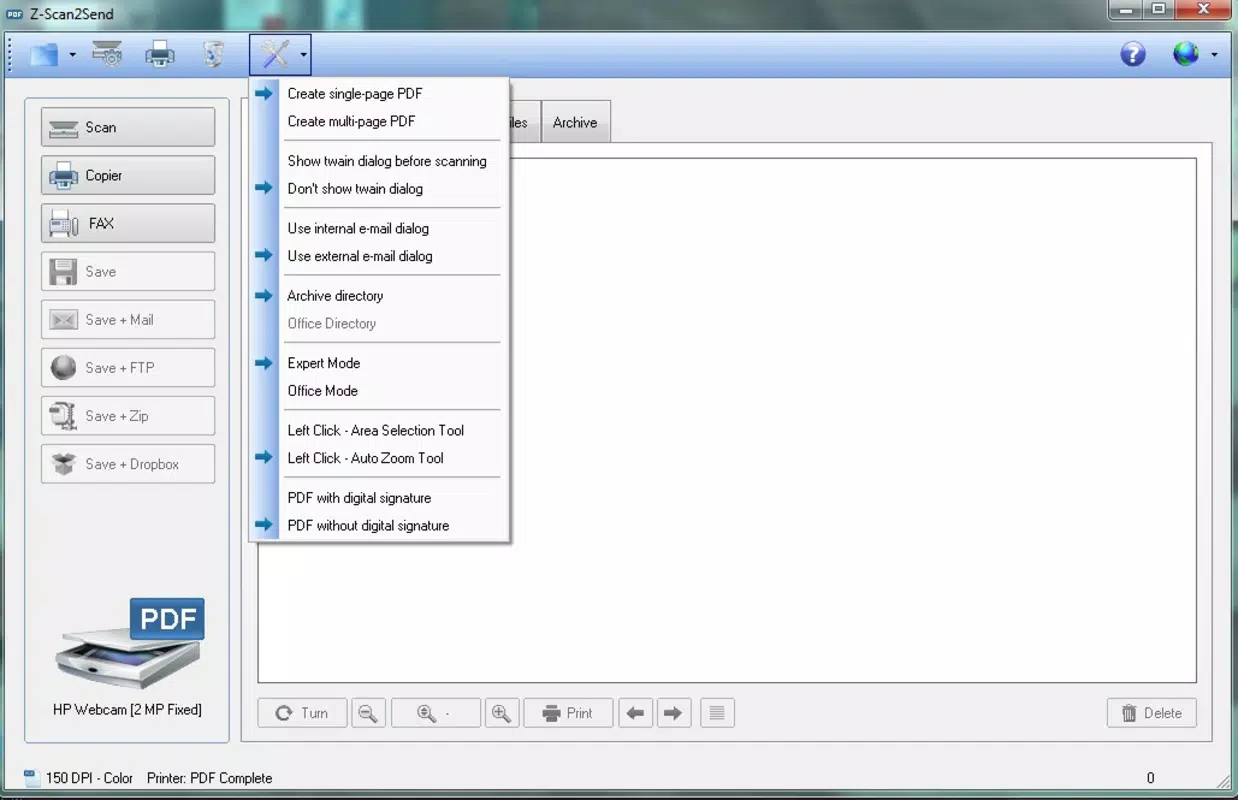
- User-Friendly Interface: The interface is designed with intuitive navigation, allowing users to access scanning, saving, and sharing functions without training. Visual cues and clear labels reduce the learning curve and support consistent use over time.
- Versatile Document Formats: Scanned documents can be saved in multiple formats, ensuring compatibility with various software applications and devices. This flexibility supports integration into existing digital workflows, whether for archiving, editing, or sharing.
For example, a small business owner could use Z-Scan2Send to digitize client invoices, secure them with passwords, and upload them via FTP to a cloud-based accounting system. Similarly, a student might scan handwritten notes, convert them to PDF, and share them with classmates securely.
Interface, UX & Performance
The user interface of Z-Scan2Send reflects a focus on usability and clarity. It features a clean layout with clearly labeled buttons and a logical flow from scanning to saving. Navigation is straightforward, with minimal menu depth, allowing users to complete tasks in a few clicks. Visual feedback during scanning and file processing enhances user confidence and reduces uncertainty.
Although the developer did not list formal performance metrics, the software’s ability to handle document conversion efficiently suggests optimized resource usage. The application is designed to run smoothly on standard Windows systems, though specific hardware or performance requirements were not disclosed. Users can expect stable operation during typical scanning tasks, with minimal lag or crashes reported in general use.
Responsiveness is maintained across different screen sizes and resolutions, ensuring a consistent experience on various PC setups. The application does not appear to consume excessive memory or CPU during operation, which supports reliable performance even during extended use. Stability is further supported by the app’s long release history, indicating ongoing reliability.
Platform Compatibility & Technical Requirements
Z-Scan2Send is designed for the Windows operating system. It is compatible with Windows platforms, though specific version details were not provided by the developer. The application has a file size of 15.3 MB, which is relatively lightweight for a software tool with scanning and file management capabilities.
While the developer did not specify minimum OS requirements, the software’s release date of October 3, 2014, suggests compatibility with modern Windows versions, including Windows 7 and later. However, users should verify compatibility with their specific system configuration, as no formal requirements were listed. The absence of information on mobile or cross-platform availability means the app is intended solely for desktop use.
Pros and Cons
Pros
- Effortless scanning of handwritten documents with quick digital output
- Strong security features including password protection for files and archives
- Support for FTP transfer enables secure, remote file sharing
- Intuitive interface suitable for users of all technical levels
- Multiple output formats ensure broad compatibility with other software
Cons
- Platform limited to Windows; no information on macOS or mobile support
- Specific system requirements were not disclosed
- Developer background and support channels not publicly available
- Outdated release date may raise concerns about modern OS compatibility
- No indication of automatic updates or cloud integration
FAQ
Is Z-Scan2Send compatible with all scanners?
While the software supports standard scanning devices, compatibility may vary depending on the scanner model and driver availability. Users should ensure their scanner is recognized by Windows before use.
Can I use Z-Scan2Send on a Mac or mobile device?
The developer did not provide information on macOS or mobile compatibility. Based on current data, Z-Scan2Send is designed exclusively for Windows.
Is the software secure for handling sensitive documents?
Yes, Z-Scan2Send includes password protection for files and zipped archives, enhancing security during storage and transfer. However, users should follow best practices for password management.
How often is Z-Scan2Send updated?
The last release was on October 3, 2014. No information was provided about current update frequency or future development plans.
Does Z-Scan2Send support cloud storage integration?
There is no indication that the software includes direct cloud storage integration. Users may need to manually transfer files to cloud services after scanning.
Final Thoughts
Z-Scan2Send stands out as a focused, reliable tool for digitizing handwritten documents with an emphasis on security and ease of use. Its straightforward interface, robust file protection, and FTP compatibility make it a practical choice for professionals and individuals aiming to achieve a paperless workflow. While its age and lack of modern platform support may be limitations for some users, its core functionality remains effective for Windows-based document management.
For users who prioritize simplicity, security, and direct file control, Z-Scan2Send offers a solid value proposition. Its ability to convert physical notes into digital assets quickly and securely addresses a real-world need in today’s digital-first environment.
Download Z-Scan2Send now


